
The MTB-CUT M688 fits an in-store workflow by bringing film cutting, guided application, and UV curing into one machine. Counter staff can identify the customer’s device, select its profile, cut a compatible film, apply it through a standardized process, and complete curing where required. It is therefore a practical option for retailers that want an integrated screen-protection service, although it is not presented as a printer for customized graphics.
How the Counter Workflow Moves from Selection to Application
The service starts with device identification rather than manual template creation. Staff can search the machine database for the customer’s phone or tablet model, load the appropriate film material, and send the cutting instruction through the built-in operating system or app control.
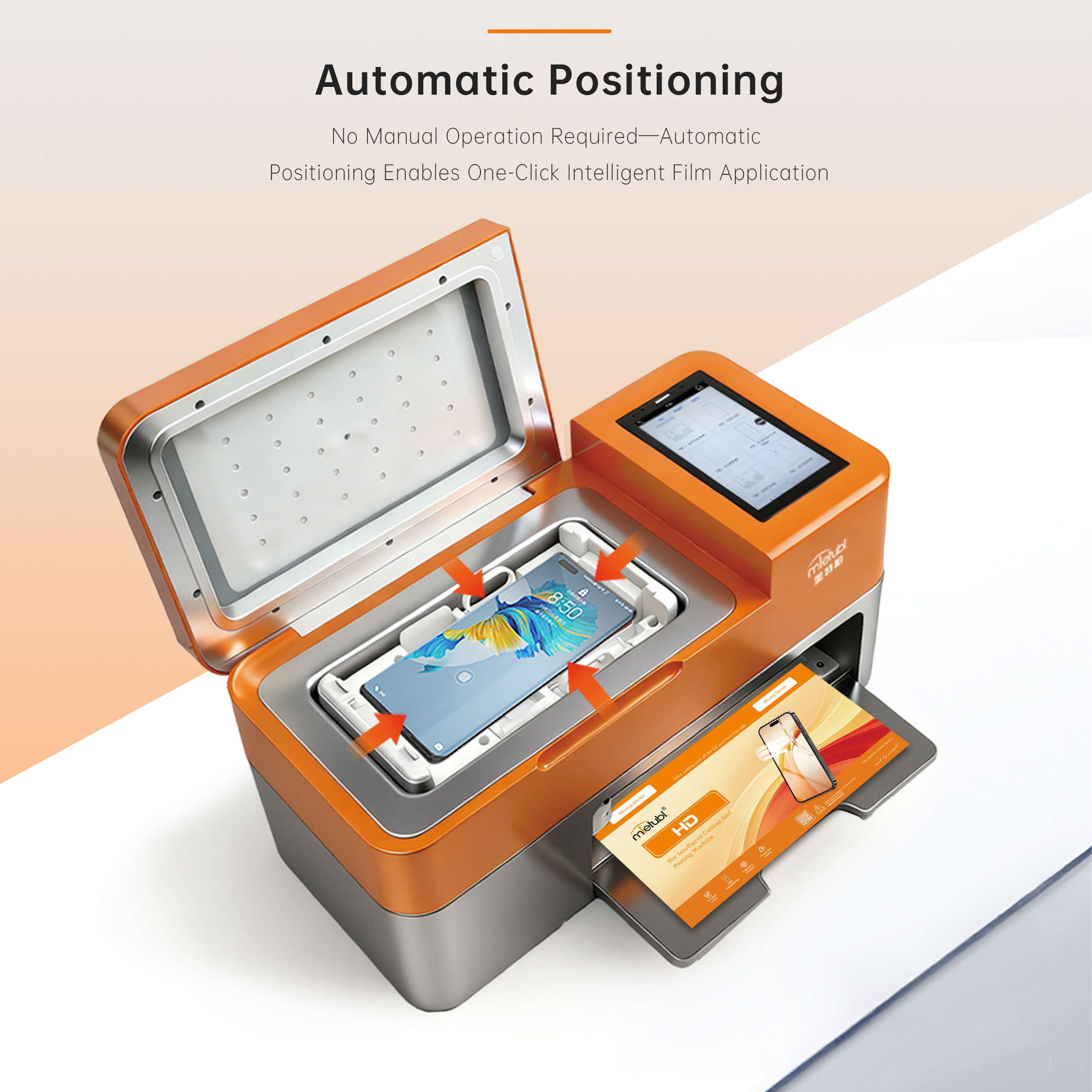
After cutting, the M688 supports a guided application process intended to help new operators complete professional film installation more quickly. Its integrated UV-curing function then provides an additional finishing step for compatible materials. Keeping these stages on one workstation can reduce movement between separate cutting, application, and curing devices.
Key workflow takeaways:
- Device-profile selection replaces manual measurement for listed models.
- Cutting, application, and UV curing are combined in one system.
- Guided operation can support onboarding and more consistent counter procedures.
- Offline cutting can help stores continue supported jobs when cloud access is unavailable.
Where Design, Printing, and Cutting Fit in the Service Process
For this machine, “design” should be understood primarily as selecting a device-specific cutting profile rather than creating printed artwork. The database covers more than 60,000 device models and receives daily cloud updates, giving staff access to profiles for a broad range of current devices.
Cutting is the M688’s core production stage. It supports material up to 235 mm wide, with a maximum cutting width of 213 mm and a maximum cutting size of 14.6 inches. This makes it relevant to phone and tablet service counters, subject to the selected device dimensions and film compatibility.
No printing capability is specified for the M688. Retailers planning to sell personalized back films, photographs, labels, or other printed products should treat printing as a separate workflow and confirm the required printer, media, software, and finishing equipment.
How Guided Operation Can Support Counter Staff
The machine combines a 5.5-inch HD touchscreen with an internal operating system, app control, Wi-Fi, and Bluetooth connectivity. In practice, a retailer can organize the counter process around a repeatable sequence: confirm the device, find the model, select the film, perform the cut, follow the application steps, inspect the result, and complete curing when appropriate.
This structure may be useful where several employees share one service station. However, guided operation should complement rather than replace staff training. Buyers should establish procedures for device cleaning, material identification, alignment, final inspection, and handling films that do not require UV curing.
What Buyers Should Verify Before Store Deployment
Before purchasing, buyers should compare the machine’s workflow with the services actually offered at the counter. First, confirm that priority phone and tablet models are included in the available database. Second, test the intended film materials and verify whether each product requires cutting only, application assistance, or UV curing.
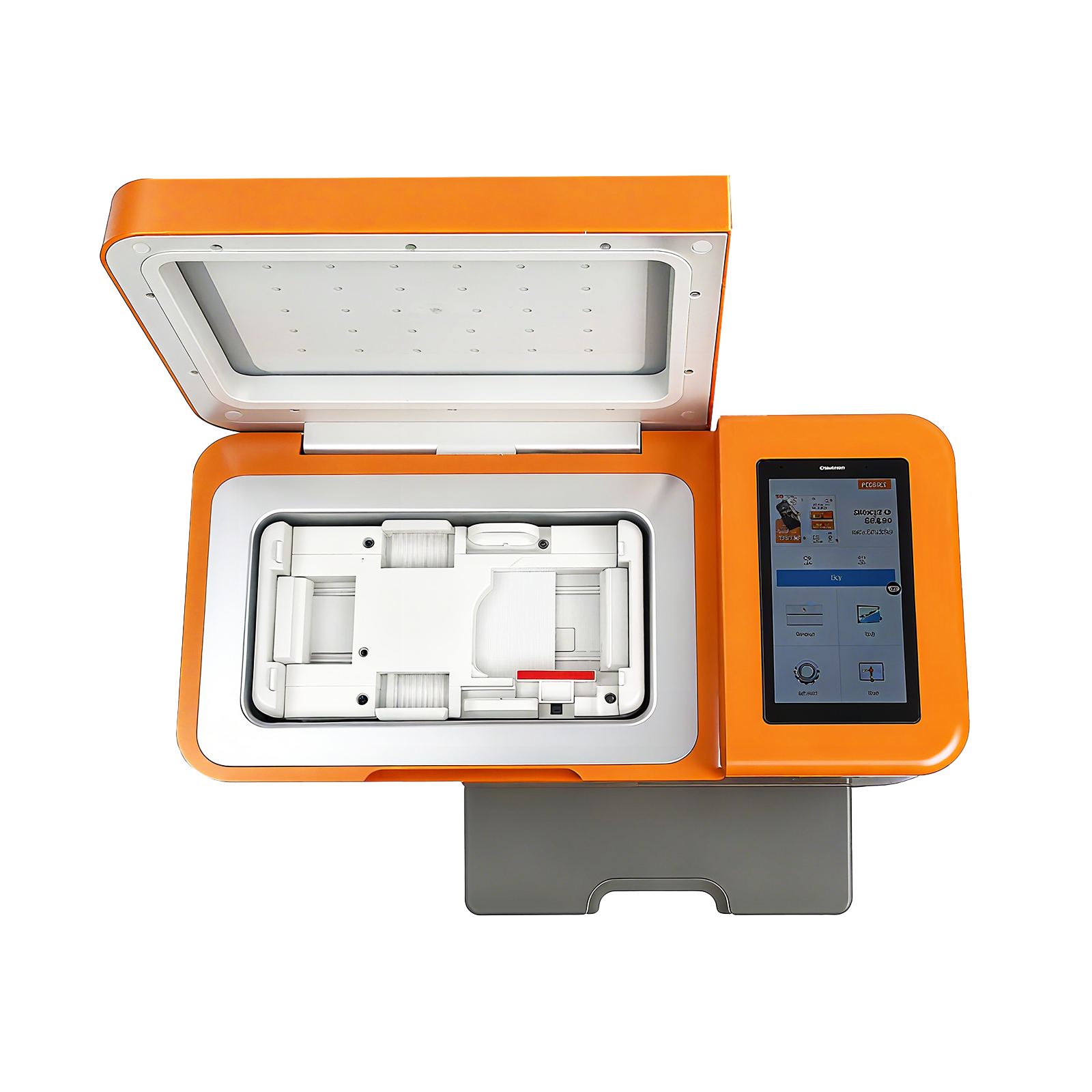
Counter layout also matters. The machine body measures 430 × 200 × 237.5 mm and weighs 9.3 kg, so the workstation should allow room for material loading, device preparation, and safe handling after cutting. The 110V–240V input supports use across common regional power environments, but purchasers should still confirm the supplied plug and local electrical requirements.
Stores should also define how exceptions will be handled. Unsupported models, unusually large devices, printed customization requests, and materials outside the approved workflow may require another machine or a separate production method.
Common Questions About the M688 Store Workflow
Does the M688 print customized screen or back films?
No printing function is specified. The machine is designed around cutting, guided film application, and UV curing. Customized printed graphics would require a separate printing solution.
Can the machine operate if the store loses internet access?
Offline cutting is supported for available model data. Retailers should confirm which profiles remain accessible offline and establish a process for synchronizing database updates when connectivity returns.
Is the M688 limited to smartphones?
No. Its maximum supported cutting size is 14.6 inches, so it can also serve compatible tablets. Buyers should check the dimensions and profile availability of their priority devices before deployment.
Conclusion
The MTB-CUT M688 is best considered by retailers that want a structured, single-station path from device-profile selection through cutting, application, and curing. It can simplify a screen-protection service workflow, but it should not be purchased as a printing system. A store should validate its main device list, film materials, counter space, and staff procedures before adopting it.
About Mietubl
Mietubl is a Guangzhou-based mobile accessories brand whose name reflects its guiding idea: Make It Easier To Use, Better Life. With roots in the mobile accessories industry dating to 1998 and the MIETUBL brand registered in 2010, the company focuses on products that make everyday digital use simpler and more practical.
Its portfolio includes screen protectors, intelligent screen protector cutting machines, film materials, data cables, chargers, power banks, and audio accessories. By combining design, product development, manufacturing, and channel support, Mietubl works with distributors and retailers serving a broad range of mobile accessory needs, with products exported to more than 120 countries and regions.
For product information, samples, or distribution opportunities, contact Marketing@mietubl.com or visit www.mietubl.com.
Was this article helpful?
Your feedback helps us improve future articles.